Once you’ve been approved for a playtest, you’ll receive a Steam product key by email. Follow these four steps to redeem it and install the D6scend Playtest.
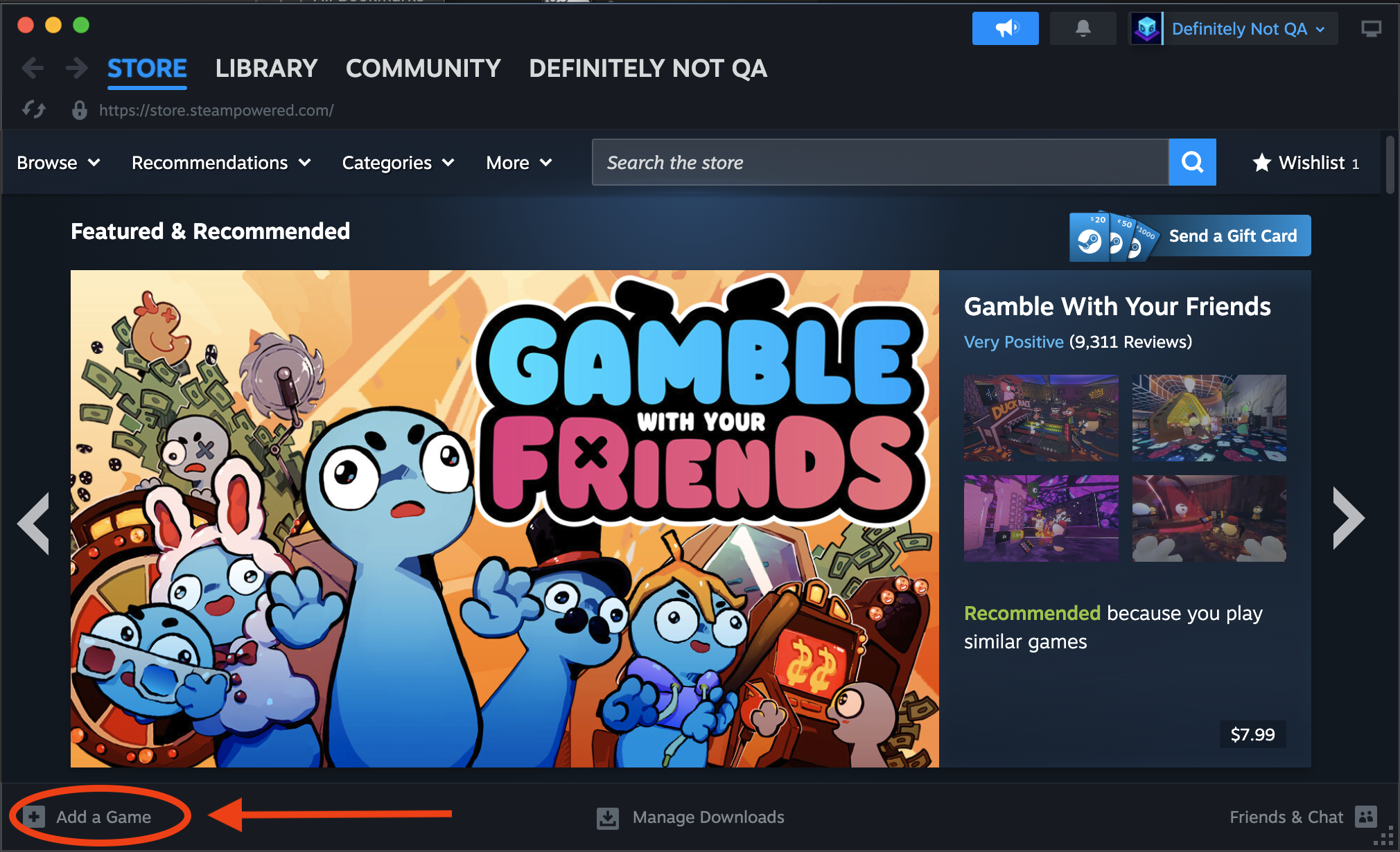
Step 1 — Open Steam and click “Add a Game”
In the Steam desktop app, click Add a Game in the bottom-left corner of the window.
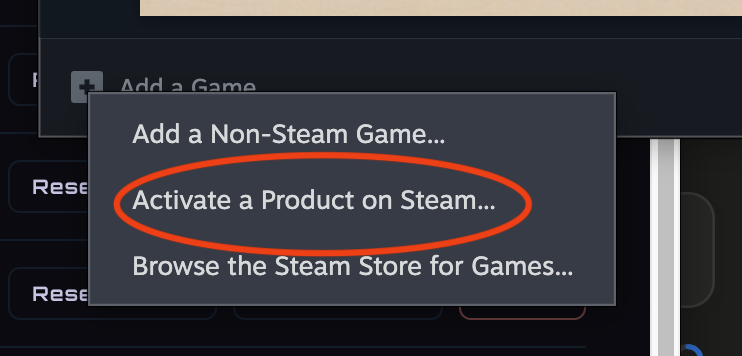
Step 2 — Choose “Activate a Product on Steam…”
From the menu that appears, select Activate a Product on Steam….
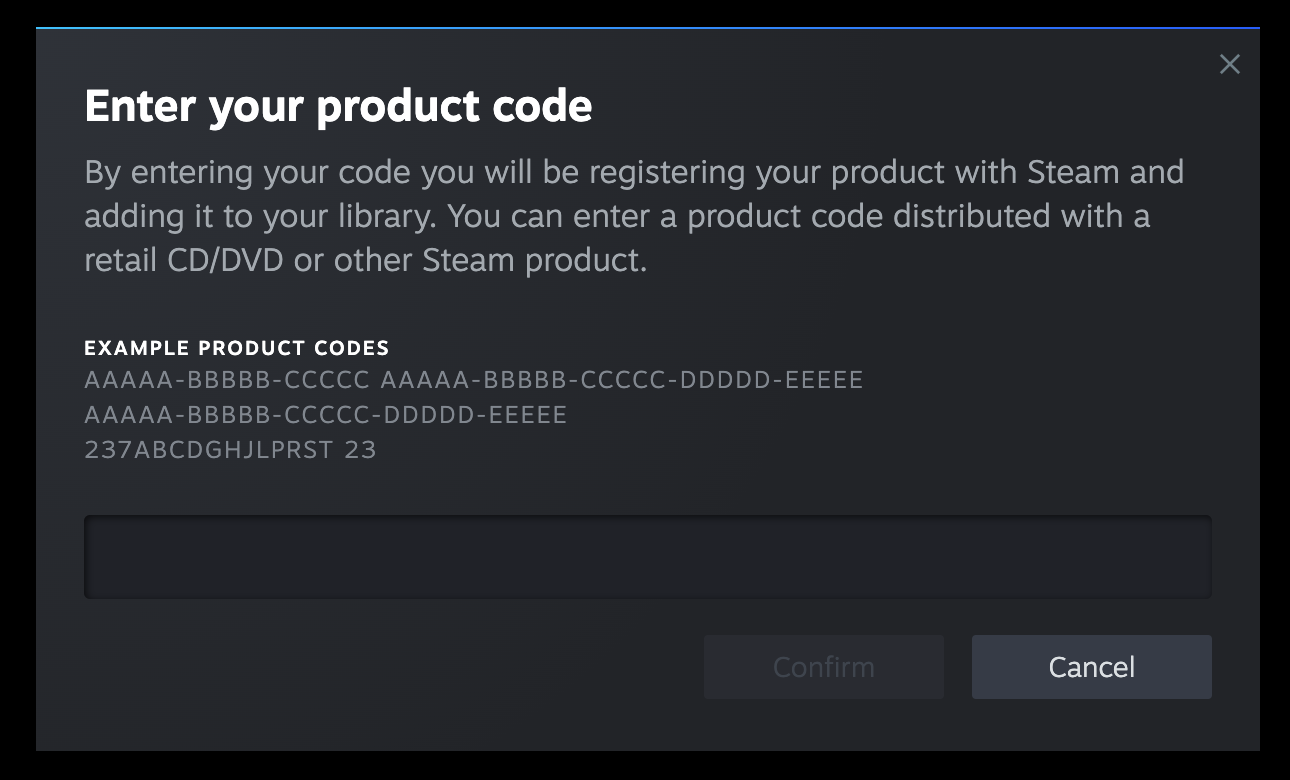
Step 3 — Enter your key
Paste the product key from your invite email into the field, then confirm. Steam registers the D6scend Playtest to your account.
Step 4 — Install from your Library
D6scend Playtest now appears in your Library. Open it and click Install.
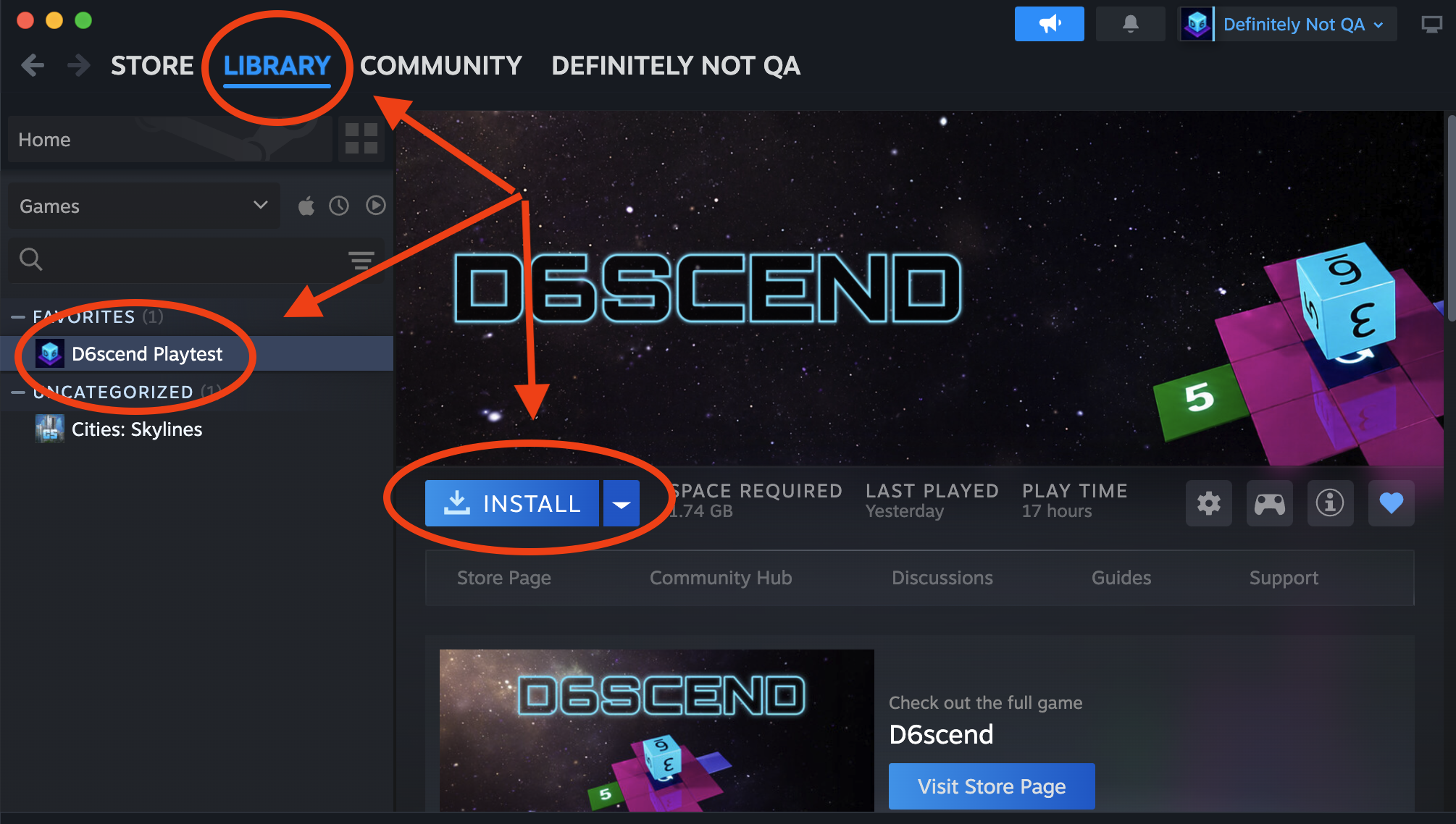
Once the download finishes, you’re ready to play. 🎲
Don’t have a key yet?
Playtest keys go out to approved participants. If you’d like to take part, see Can I playtest D6scend? or get in touch.